VERSION 5 — NOW AVAILABLE
Map Your Workplace, Manage Your People
Interactive floorplans, desk booking, employee directory, and asset tracking — all in one browser-based platform.
Interactive floorplans, desk booking, employee directory, and asset tracking — all in one browser-based platform.
Three simple steps to start managing your workplace.
Import floor images from CAD exports, photos, or any image file. StaffMap supports JPG, PNG, SVG, and PDF.
Drag and drop desk, room, and asset panels onto your floor. Arrange them to match your real layout.
Import employees from CSV, Active Directory, or Entra ID. Assign desks, enable bookings, and start managing.
Explore a live demo, spin up a sandbox, or download the trial to your own server.
Browse pre-configured demo projects with sample employees, floorplans, and bookings.
View DemoGet your own temporary instance to explore freely — no install, no signup required.
Try It NowInstall on your own server. Free 30-day trial with full functionality, no credit card needed.
DownloadUtilized by leading organizations worldwide
View more customers →Searchable employee profiles with photos, contact info, and desk assignments. Find anyone instantly.
Upload floor images, drag-and-drop desks and rooms. Pan, zoom, and click to explore your office layout.
Hot-desking, meeting rooms, and resource booking with calendar views and recurrence support.
Plan and track employee moves between desks, floors, and buildings. Full move history at your fingertips.
Track equipment, furniture, and other assets. Link to employees and desks with full audit trails.
Manage multiple buildings, floors, and campuses in a single project. Switch views effortlessly.
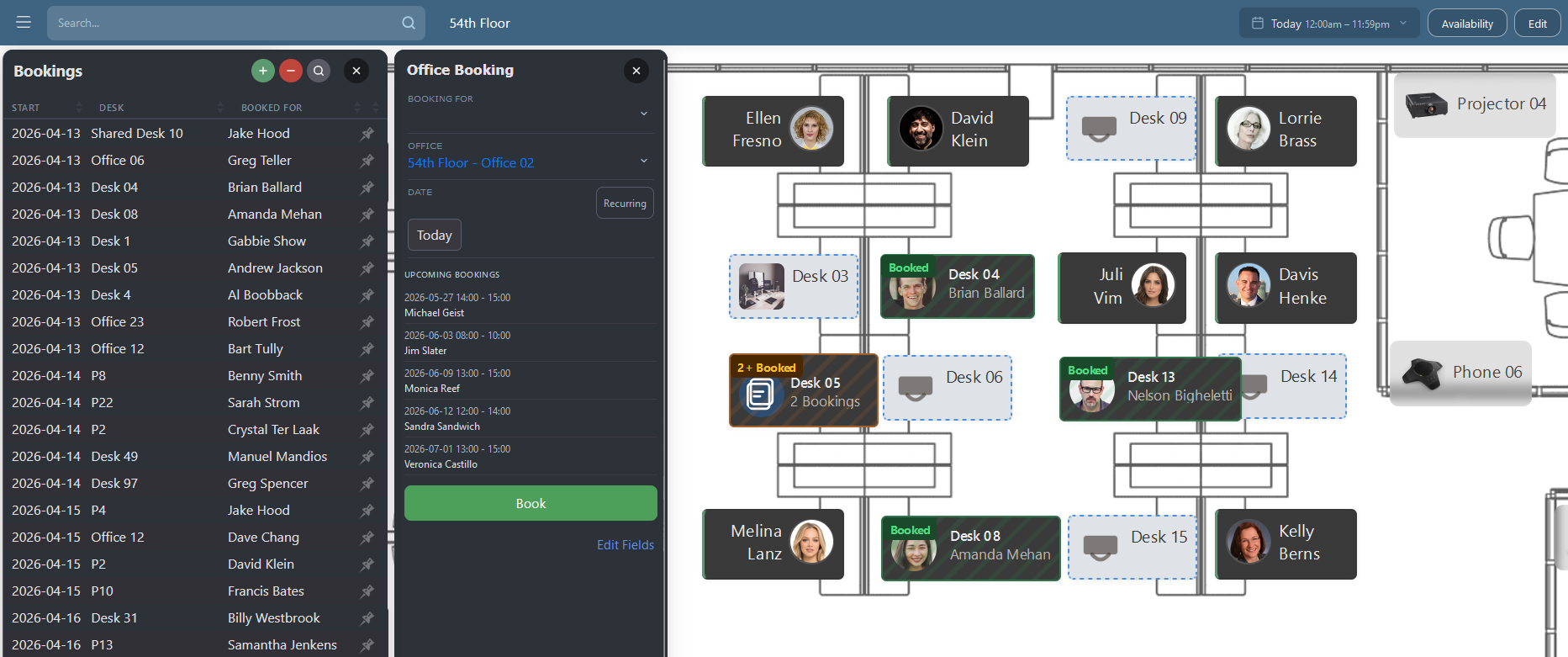
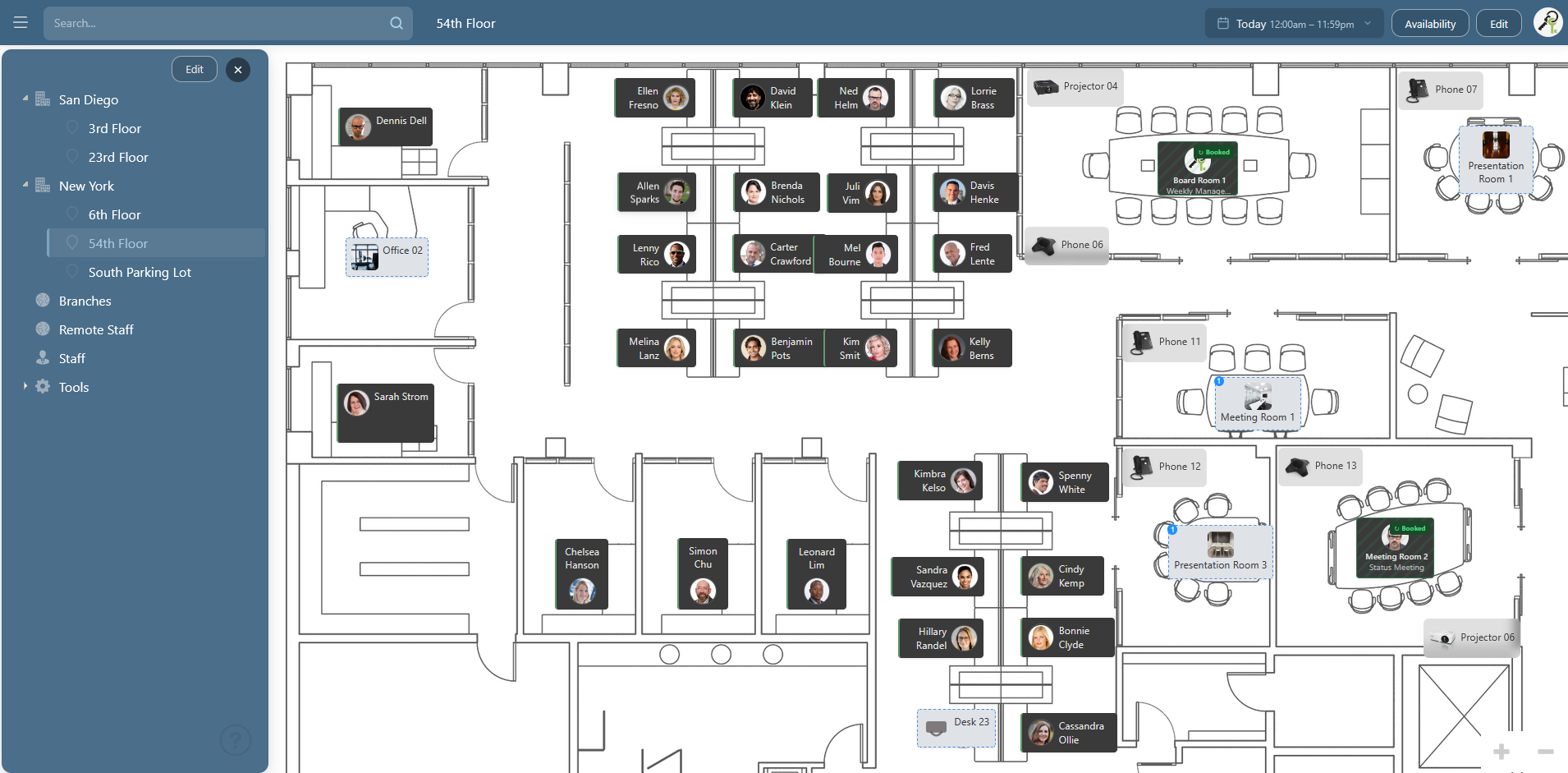
Interactive floorplans bring your office to life. Employee panels with photos, department colour-coding, and real-time Microsoft Teams presence indicators show you who's available, busy, or away — right on the map.
Employees can book desks for a day, half-day, or recurring schedule — with optional in-app and email confirmations sent automatically. Bookable desks are shown directly on the floorplan with availability badges.
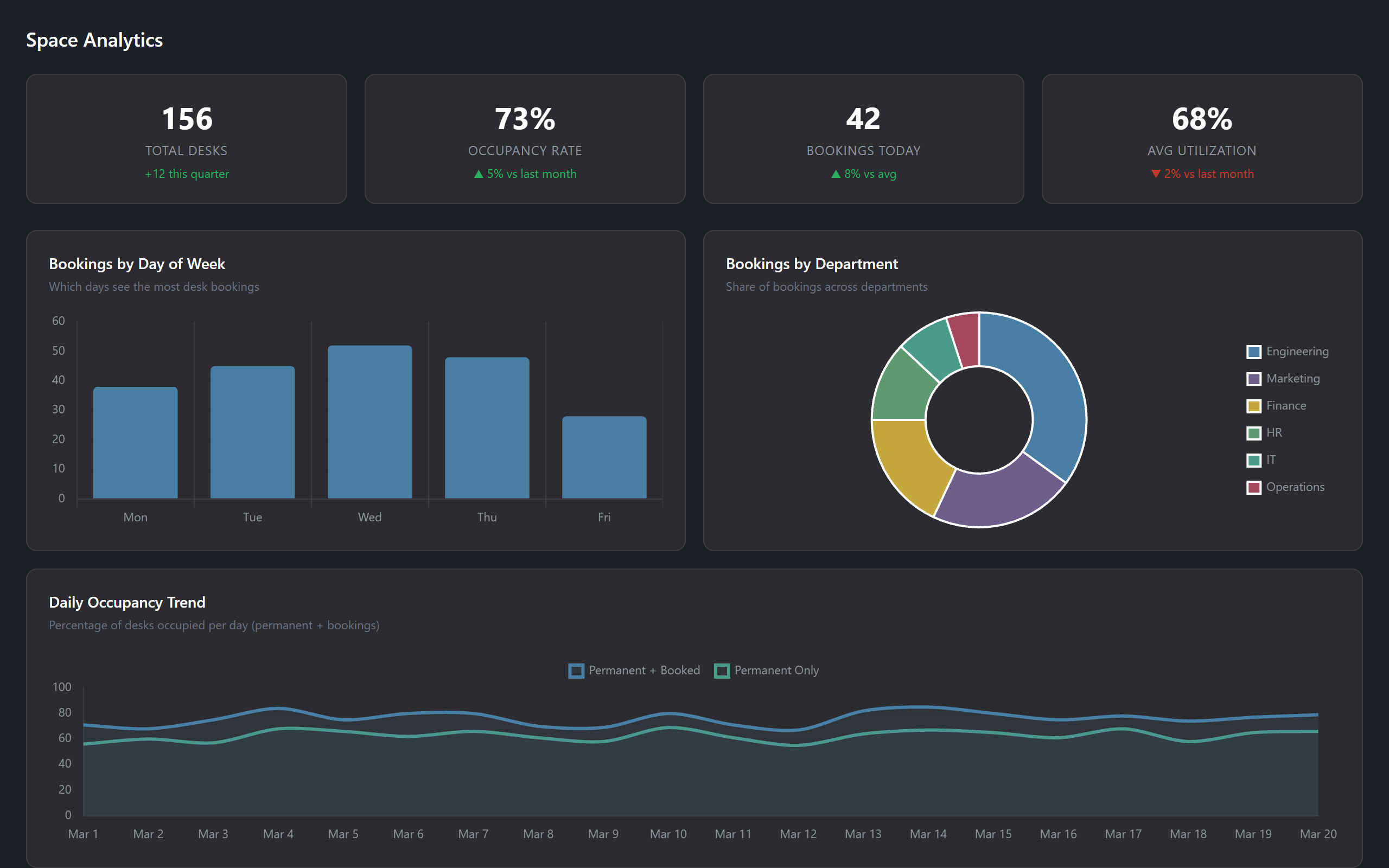
Understand how your office space is being used with built-in analytics. Track occupancy rates, booking trends, and department utilization to make informed decisions about your workplace strategy.
Major new features and improvements over StaffMap 4.
Azure AD / Entra ID SSO for the management page with group-based access control. No more separate passwords.
Utilization metrics, occupancy trends, and booking analytics with interactive charts. Make data-driven decisions about your workspace.
Real-time notification badges plus email alerts for bookings, service requests, moves, and desk changes. Per-event toggles and multi-provider email (SMTP, SendGrid, Mailgun).
Automatic Active Directory and Entra ID synchronization on a configurable schedule. Keep your directory up to date.
Soft-delete with restore capability for employees, desks, assets, and floors. Items auto-purge after 30 days.
Filter desks and meeting rooms by availability for a given date and time range. Instantly see what's free across all floorplans without opening each booking calendar.
Preview AD and Entra ID sync changes before committing. Field-level change reports with CSV download for full audit trails.
Refreshed visual themes including a full dark mode across floorplans, forms, calendars, dialogs, and settings. Choose from Standard, Dark, Blue, Green, and more.
Draw on floorplans with pencil, shapes, text, and preset stamps. Named zones, scroll-to-zoom, middle-click pan, and snap-to-grid for precise layouts.
Live Microsoft Teams presence indicators on floorplans and employee profiles via Graph API. See who's available, busy, or away in real time.
StaffMap runs on your own infrastructure — no cloud dependency, no data leaving your network.
Deploy on your Windows Server with IIS. Works with Active Directory, Entra ID, your existing SQL Server, and internal networks.
Employee data never leaves your network. SQLite or SQL Server database stored on your own infrastructure.
Nothing to install for end users. Access from any browser on desktop or mobile. Works on your intranet or via VPN.
Pay once, use forever. No recurring subscriptions or per-user fees. Optional annual renewal for updates and support.
Self-hosted with a perpetual license. You own your data. All prices in US dollars (USD).
Existing StaffMap customers can upgrade at 50% off.
Requires ownership of any previous StaffMap version. Alternative payment methods available (check, bank transfer, purchase order).
Yes. If you buy the Standard Edition you can switch later to the Professional or Enterprise Edition and simply pay the difference.
No. During your evaluation, and after purchasing StaffMap, support is included.
If the Enterprise Edition is purchased, you can run the software on an unlimited number of servers or workstations. The Standard and Professional Editions are restricted to one installation.
We plan to release major versions every two years. Minor versions containing feature updates and fixes are released four times per year.
The upgrade price of the next version of StaffMap will be 50% of the original price.
If you are not satisfied with the product we will issue a full refund within 30 days of your purchase.
All prices are in US dollars (USD). Card payments are charged in USD, and your bank or card provider converts the amount to your local currency at its current exchange rate.
Credit card purchases are preferred. However, we also accept payment by check, purchase order, or bank transfer. Contact us and we will provide an invoice and activation key.
After you purchase you'll receive an activation key, download links, and installation instructions by email.
Please contact us if you are a non-profit organization and we may be able to offer discount options.
We do not currently offer a yearly maintenance plan. Updates and support are included for the duration of your version.
Setup walkthroughs, AD/Entra ID integration, booking configuration, API reference, and more.
Download the free trial and have StaffMap running on your server in minutes. No credit card, no signup required.